DOMAIN-SUFFIX,example.com,PROXY
FINAL,DIRECT
Choose policies by condition and order
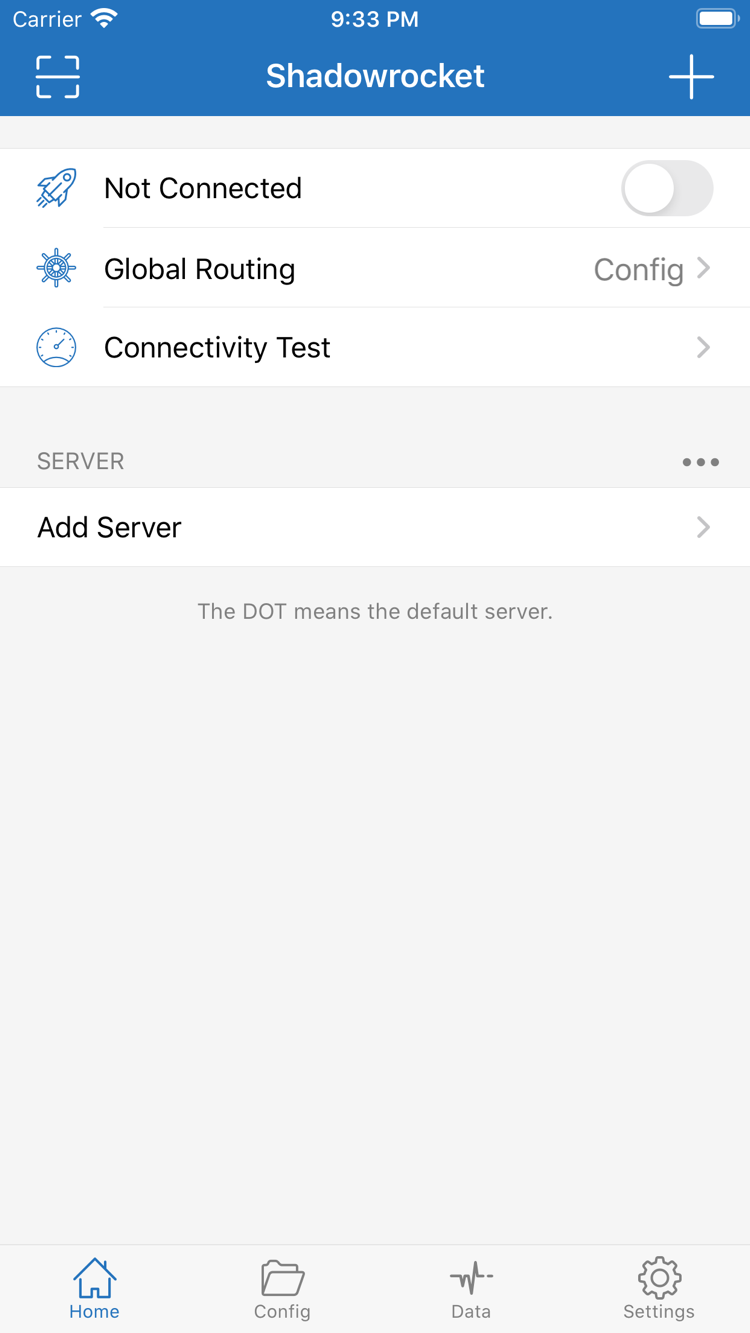
Rule-based routing lets you handle domains, IP ranges, and fallback traffic differently within one configuration. In Home, set Global Routing to Config, check which Config file is active, then arrange rules from top to bottom. DOMAIN-SUFFIX matches domain suffixes; IP-CIDR matches address ranges. PROXY, DIRECT, and REJECT are rule policies, not server addresses. Put more specific conditions first and FINAL last. After making changes, test a request that should match a rule; the connection toggle alone cannot confirm that routing is working as intended.
ConfigGlobal RoutingFINAL
Settings → On Demand
Trigger connections based on network conditions
On Demand triggers VPN connections based on conditions. This is separate from the policy applied to each request by rules in a configuration file. First confirm that the server and configuration work with a manual connection, then review the On Demand conditions in Settings and adjust them for your network. To test, note the existing conditions and observe what happens when the network changes. If the connection returns after you disconnect manually, check these settings rather than repeatedly deleting the VPN configuration. You can temporarily turn off automatic triggers while troubleshooting, then restore them after testing so automatic behavior is not mistaken for a switch problem.
SettingsOn Demand
Add Server → Type
Choose Type to match your server details
Shadowrocket supports protocols such as Shadowsocks, VMess, VLESS, and Trojan. When adding a server, use the details you already have. In Add Server, choose Type, then check Host, Port, and the relevant authentication and transport settings. Required fields vary by protocol; credentials for one protocol cannot be entered under a different Type. If you have a share link or QR code, use the corresponding import option, then verify the imported details. A protocol name only describes the connection method; it does not confirm server reachability, account validity, or actual speed. Test each of these separately—switching Type alone will not resolve them.
ShadowsocksVMessVLESSTrojan
https://example.com/sub?token=xxxx
Import and update your own subscription
A subscription URL retrieves and updates a server list; it serves a different purpose from a share link for one server. Use a subscription you already have: in Add Server, choose Subscribe, enter the URL, and save. Then check that the expected entries appear in the list. If an update fails, first confirm that the URL is complete, the subscription is still active, and your current network can reach it. Avoid repeatedly adding the same subscription. Subscription credentials are sensitive; redact them before sharing screenshots or logs. Example URLs only illustrate the format and cannot be used to connect. This site does not provide subscriptions; contact the provider of your existing service to confirm list contents and availability.
SubscribeAdd ServerSERVER
[General]
bypass-system = true

[Rule]
FINAL,DIRECT
Maintain configuration files by section
A Config file contains settings such as global parameters, rules, domain mappings, and rewrites. It is not the same as a subscription URL that stores a server list. Before editing, keep a recoverable copy and check the syntax and purpose of the General, Rule, Host, and URL Rewrite sections. Change one group of settings at a time, then verify the expected requests before moving on. If you use iCloud sync, confirm the account and relevant settings, and distinguish file syncing from which file is active on the current device. Do not assume another device is using the same file. Never put account or server credentials in a configuration shared publicly.
ConfigGeneralRuleiCloud
Connectivity Test / Data / Diagnostics
Check reachability separately from request results
Connectivity Test in Home can help check server responses, Data shows traffic information, and Diagnostics in Settings can help investigate connection issues. Test results reflect the method and network conditions at the time; they do not predict how every request will perform. If a test gets a response but the target page will not load, check Global Routing, the matched rule, DNS resolution, and server settings. If all entries fail, check the device's network and subscription status first, then review the parameters. When recording an issue, note the mode, steps to reproduce, and error message. Hide subscription URLs and authentication fields before sharing the report.
Connectivity TestDataDiagnostics